
HOW TO – CREATE A PRIVACY POLICY PAGE IN WORDPRESS
STEP 1 – Navigate to the Google Workspace website and select the “Start Free Trial” button.
Fortunately, WordPress makes it really easy by providing a template for you to follow. Go to it, update it with your own personal website details in all the appropriate places, link to it on your site, usually in the footer, and you are good to go.
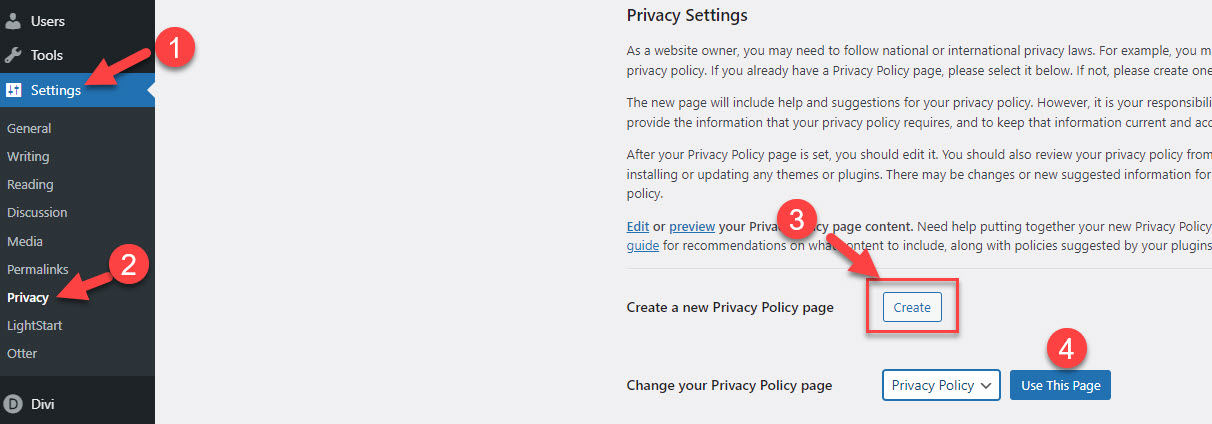
To get to the WordPress template Privacy page click on Settings and select Privacy Policy.
STEP 2 – ommon allum
Selecting “Create” at 3 will take you to their template page. It looks like this.
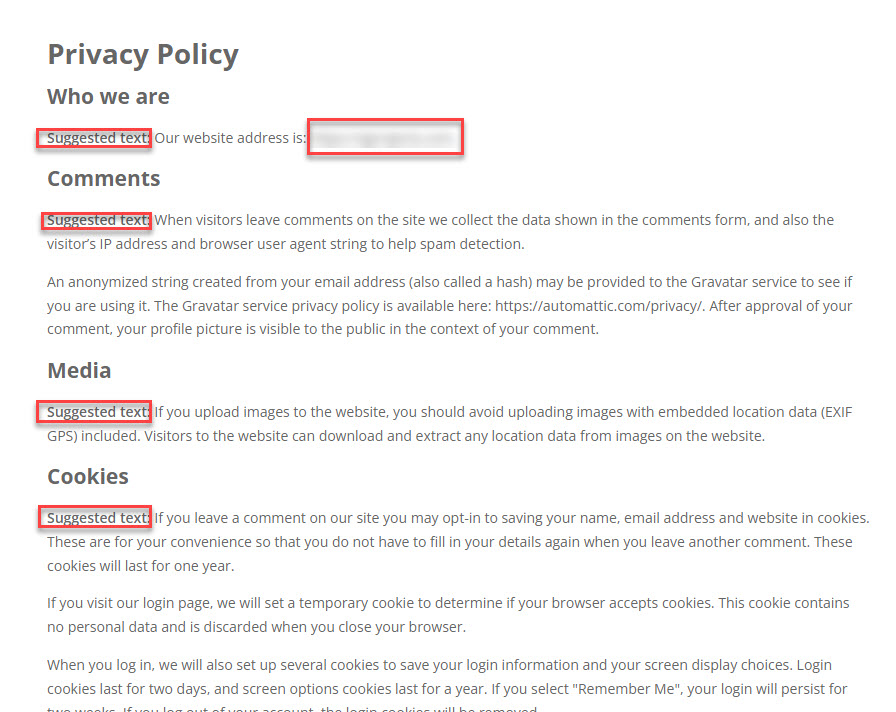
It comes with suggested text for each of the main sections that you need to include. Simply delete these throughout the document and replace any text that is specific to your site.
I will replace the website address with mine.
Your final page will look like this.
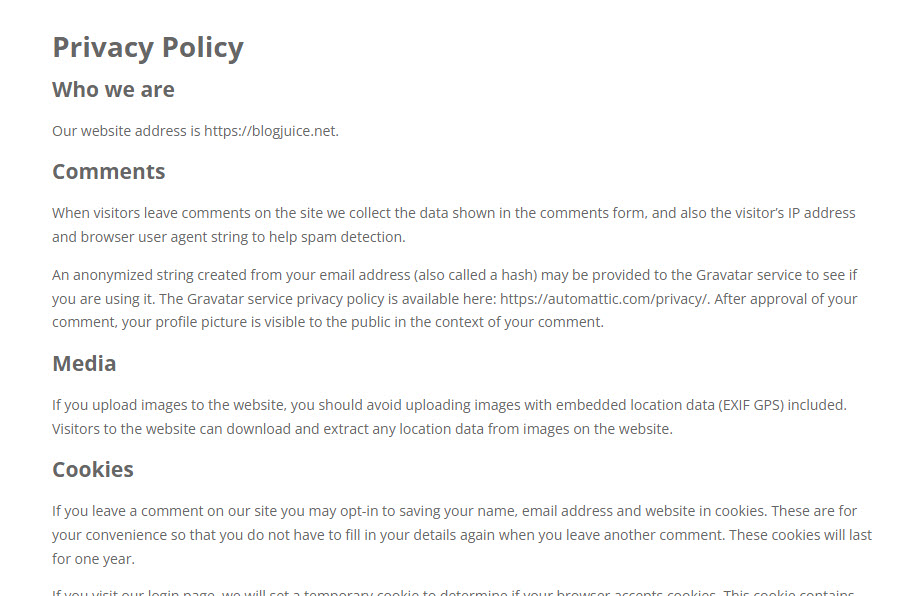
That looks pretty professional and you are now good to go.
When you have finished editing the page, press the “Publish” button in the top right-hand corner.

Your page will be published and available for further editing should you need to. To edit this page further, you can find it under the “Pages” link on the WordPress dashboard. The page is called “Privacy Policies”. Sometimes your ad network will ask you to include some more detail. Whatever that is just comply.
After publishing you now need to point to it from your home page. This is normally placed in the footer. Edit your footer and place the link there. You can use the “Copy” button to capture the link in the paste buffer.
And that’s it.
You can assign a different page if you wish to use your own. Just select it at 4 from the dropdown for your available pages.