
Introduction to Side Hustle Alley: Unveiling the Truth About Print-on-Demand (POD) T-Shirts Business
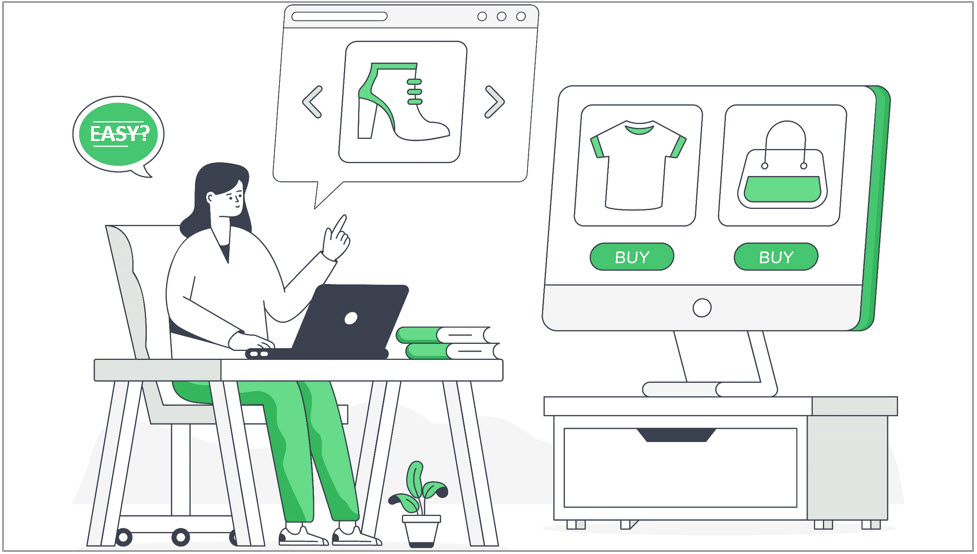
Squeeze magazine embarks on our first real-life journey into the Print On Demand (POD) t-shirt market in our quest to demystify the’ easy money’ allure of online side hustles. The side hustle receives considerable attention in the side hustle social media landscape, where everyone seems to claim that it’s a walk in the park. They make it sound effortless: join Printify, Etsy, and a graphics provider like Canva. Put your designs on t-shirts in your Etsy store, and watch the cash flow. All the hard work, from sourcing and printing t-shirts to managing orders and shipping, is magically handled by third parties.
Let’s put these claims to the test and set up an actual store to see how easy it is.
The typical recipe
Since this is a well-known side hustle, I’ll follow the much-touted steps and dive right in. The steps seem simple enough.
- Sign up for Etsy and start your store,
- Sign up to Printify and link your Etsy store,
- Sign up for an online graphics package like Canva,
- Create designs,
- Create t-shirt SKUs (stock-keeping units – separate products, in this case, t-shirts with your designs on them) in Printify,
- Publish them to your Etsy store,
- Repeat the product creation process – steps 4, 5, and 6 many times.
- Wait for the sales to happen. (I’m not naive enough to expect this to happen, but that is the general tenor of the side hustle articles and videos I have seen).
Step 1: Sign up for Etsy
This was pretty standard and easy to do. I simply had to provide the typical new account details like an email address, create a password, and set up a credit card for payments to Etsy. I also had to set up my banking details, which would allow Etsy to pay me the money I had made from selling my products. It’s all fairly straightforward stuff.
The only odd thing was that when signing up for Etsy, I had to add at least one product to my store, even though I had nothing to sell. So, I created a fictional product on Etsy to continue the setup process and promptly removed it from the store after setup because it didn’t exist. I think that is a bit odd.
Step 2: Sign up for Printify
Getting a Printify account is similarly straightforward. You need to leave your credit card details. This is used to pay the printing companies fulfilling your t-shirt order from Etsy. Printify is the middleware between your online store – in this case, Etsy, and the printing businesses that will print your design onto the t-shirt you selected and send it to your customer.
They take a cut of the action for providing this link. You will rarely, if ever, interact much with the printer.
The final stage in setting up Printify is to link your store to Etsy. This is simple and only takes a minute. You simply sign into your store from Printify, and they handle the rest.
Step 3: Create a Canva account
Again – it’s simple stuff. I joined the paid version since I will take this seriously, but the free version offers plenty for the beginner.
(In reality, I don’t use Canva much. I prefer Adobe Illustrator, which I use for many other things besides t-shirts, but it is a complicated, professional system that can take some learning. I’ve been at the beginner level on this package for a long time and enjoy what it can do. I don’t mind that I will not get much better at it, so I will stick with it. It has some essential features that I like, which Canva does not.)
For the beginner, though, I would definitely recommend Canva. It’s simple to use and powerful enough. The signup process is pretty simple, and everything goes smoothly up to this point.
Step 4: Create designs
Now, let’s start creating some products. Having dabbled in design software for years, I have, at times, quite foolishly, thought of myself as a designer. But alas, knowing how to use a design tool does not make one a designer. I can also swing a hammer, but building a house is out of the question.
Regardless, I need designs for my t-shirts, so I persisted and came up with a rather mediocre design for a trendy t-shirt that says “But First, Coffee.” They seem to be popular. Did I mention I consider myself a designer? Well, it looks passable, at least. Designing this shirt took me some time, as I had to think of the idea first.
And here I had made my first real mistake. Without a plan or a clear vision for my store, I had no idea what types of images I would need or should focus on. I will come back to this issue in later installments, but know this. Having a plan is always a good idea, even if it’s just a one-pager. I talk about this at length in the course on writing your marketing plan.
Step 5: Create t-shirt SKUs
Now that I have my design, it’s onto the Printify software. This software allows you to marry up your design with any number of products suitable for printing. These include t-shirts, singlets, sweatshirts, hoodies, mugs and cups, tote bags, framed posters, and more. But we focus on t-shirts, so I go to the t-shirt section in Printify and select a brand that seems to be in the middle of the pricing spectrum.
After selecting a brand, I am offered a list of suppliers – printing shops that will take my design from Printify, put it onto the right-sized shirt, and send it to the customer who ordered it from my Etsy store. It’s pretty cool software.
Once I had chosen a printer, the software took me to the design phase. Here, I upload my image, position it on the t-shirt, select the t-shirt colors I will make the product available, and then save it. You can also choose to display your t-shirt on a model that Printify supplies, so I selected one. This will produce up to 10 mockups of your t-shirt for your shop in the various colors of the model you chose.
Now that I have my designed product finished, I accept all the defaults for all the Printify options available, give the product a name, and press the “Save” button. This has set my default prices, the mockups displayed, the default delivery cost, and the default delivery times shown in my store. I figured these would take some research to get a proper handle on, so the defaults are probably the wisest choice at this stage.
Step 6: Publish your products to your Etsy store
OK! I have my first design finished and ready to go. All that is left to do is press the “Publish” button, and my product will be published in my Etsy store. I’m away. I have an Etsy store, a working knowledge of Printify, a working knowledge of a graphics package, no idea what my next design should be, and generally no idea what I am doing. And it only took me a week to get this far. Remember, this is a side hustle with the side hustle alley time rules applied.
Note: The Etsy, Canva, and Printify software is pretty easy to use, but there’s a learning curve, and it’s not as intuitive as expected. Several helpful getting-started tutorials and a plethora of advice on YouTube are available. But come on – how hard can it be. I have been writing and using software for 40 years – so I arrogantly decided I wouldn’t need any of that distraction, and since I only have the side hustle time available, I decided to just wing it.
Wrong move. After several late evenings, I realized my mistake and had to backtrack. I spent a few days watching several “getting-started” videos on YouTube and reading through the help sections. Lesson learned: Always seek guidance before diving headfirst into unfamiliar territory. I wasted valuable time by not doing so.
Step 7: Repeat the process (many times)
Admittedly, my store setup looks underwhelming, but at least I’m progressing. Phew! That whole setup process took a week. Remember, I had to adhere to the side hustle rules: no more than two hours per night on weekdays and eight hours on the weekends.
But it’s only the end of week 1, and I’m feeling ok. Week 2, and I need more designs for products in my store. I’m no designer, so I purchased a set of cool zodiac designs from a Creative Design website. While the designs initially caught my eye, I believe I can enhance them further. So, I spend nights playing with colors and components, trying to make them even better. Design, I quickly realized, is incredibly time-consuming. At one point, my wife yells from the living room, “Get off that %$#$% computer and come watch some TV!” (Note: My wife never swears, and this %$#$% is her version of impatience).
Well, as they say, “Happy wife, happy life,” and CSI Miami beckons. (We’ll revisit this saying in a few more weeks).
I dedicated two weeks to working on these designs, and now I have 12 additional designs ready to be added to my store. Maybe I’m just a slow learner, but I’m pretty confident in computing, so I suppose design is time-consuming.
It’s been four weeks since I started my POD t-shirt business. Sticking to the side hustle alley rules, I only had time to learn the production side. I have managed to create 18 products, which I think are pretty cool. I have spent no time on promotion and pricing, not to mention some time researching the opposition. But hey, I remember all those articles and videos ensuring me how easy the game is. Surely, I will be on my way to the light on the hill soon.
Observations I’ve learned during these first four weeks:
- The learning curve is much steeper than those flashy social media posts would have you believe.
- The Printify software can be gnarly and confusing until you create your first dozen t-shirts.
- You have important decisions, such as choosing a t-shirt manufacturer you prefer (I chose Bella and Canvas 3001, which received positive reviews online).
- Selecting the right printer to fulfill your orders is important (I went with Monster Digital, considering their excellent user rating and quick fulfillment time).
- Designing takes a significant amount of time and effort.
- Getting your designs onto a t-shirt using Printify involves a series of learning steps. I made numerous mistakes early on and found it easier to delete my early attempts and start again.
- Listing your products on Etsy is simple but doesn’t end there. I still need to set up my storefront, create store sections, and craft a snappy bio that instills confidence in my offerings.
Initial verdict? Beware the social media echo chamber touting effortless success. Rolling up your sleeves is a must in this venture, and even the beginning demands a hefty investment of time.
Keep an eye out. In four weeks, we reconvene with the next issue of SQUEEZE to delve deeper into this journey.
Better still, click here to subscribe and never miss an installment.
0 Comments